
From one branch to hundreds
QR menu system for restaurants and cafés
Keep your QR menu always up to date: prices update by themselves from Excel or your till integration, and guests browse the menu easily on their phone. See what draws interest with anonymous statistics, all for a monthly subscription that costs about a coffee.
- Prices update automatically
- From one branch to hundreds
- A monthly subscription at the price of a coffee

You change the price at the till. The menu updates by itself for everyone at the table.
More than a menu
From a small café to a chain with hundreds of branches, from one panel.
Prices that update themselves
Upload an Excel file or connect your till and ERP software. When a price changes the QR menu follows at once; you never work in two places.
Fits every size
From a single branch to hundreds. Group your branches and give each group its own menu and prices.
Anonymous statistics
Which branch, table and product draws interest? See it without identifying anyone and without cookies.
A menu in every language
Guests read it in their own language, see 14 allergens as icons and filter out what they avoid.
A look that fits your brand
Ready-made themes, colours, typefaces and menus that open by time of day.
A QR code for every table
See what is looked at on each table. Prepare table cards for print in bulk.
Statistics
Decide with your own data
Every visit is counted anonymously and nobody is identified. It still tells you a lot about your business.
Most visited branches
- Moda1,248 views
- Beşiktaş962 views
- Kadıköy713 views
Most looked-at products
- Latte412 views
- San Sebastian336 views
- Menemen251 views
Busy days and hours
Busiest tables
- Table 12214
- Table 7189
- Table 3172
- Table 21151
- Table 9133
- Table 15120
Sample data
- Most visited branches and a branch comparison
- The dishes and drinks people look at most
- The busiest tables and sections
- What is looked at most at each table
- Busy days and hours, preferred languages
Online in three steps
- 01
Add your products
Upload your product list with Excel, type it in or connect your till software.
- 02
Build your menu
Products go into the menu by category in one click. Pick a ready-made theme and adjust the colours to your taste.
- 03
Put the QR code on the table
Choose your short address, download the QR code and print it. When a price changes, the menu updates itself.
What do you need, and what do your guests expect?
A QR menu adds value on both sides: time, order and insight for your business, and an easy, trustworthy menu for your guests.
For your business
- No reprinting menus when a price changes
- Menus and prices correct and current in every branch at once
- See what draws interest and which branches and tables stand out
- A small monthly subscription instead of printing and update costs
For your guests
- Scan the code and the menu opens in seconds; no app needed
- Browse a tidy menu with pictures and find what they want quickly
- Read it in their own language, see allergens and filter out the rest
- The price they see is the right one: no surprises, happy guests
A look of its own for every business
The same menu in five ready-made themes. Pick one, then adjust colours, fonts and layout to your taste.
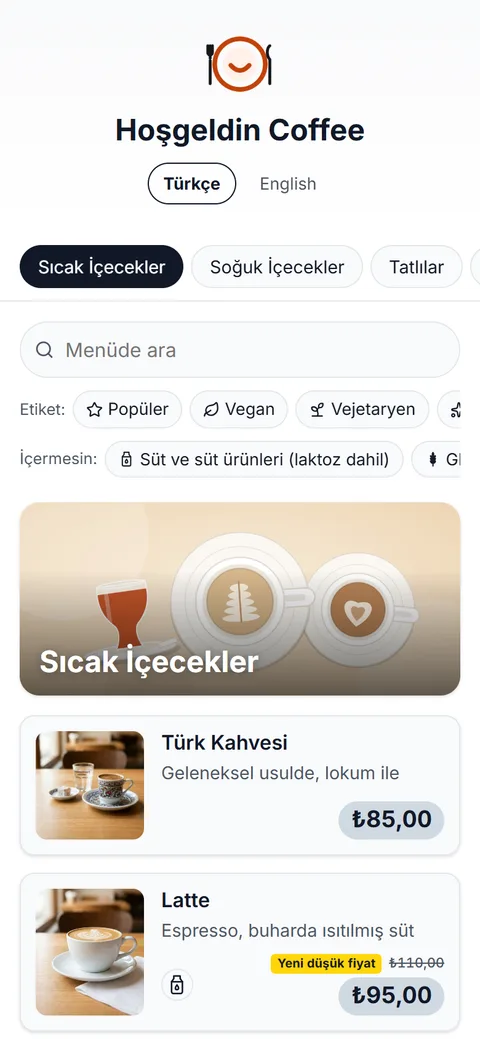
Light Minimal
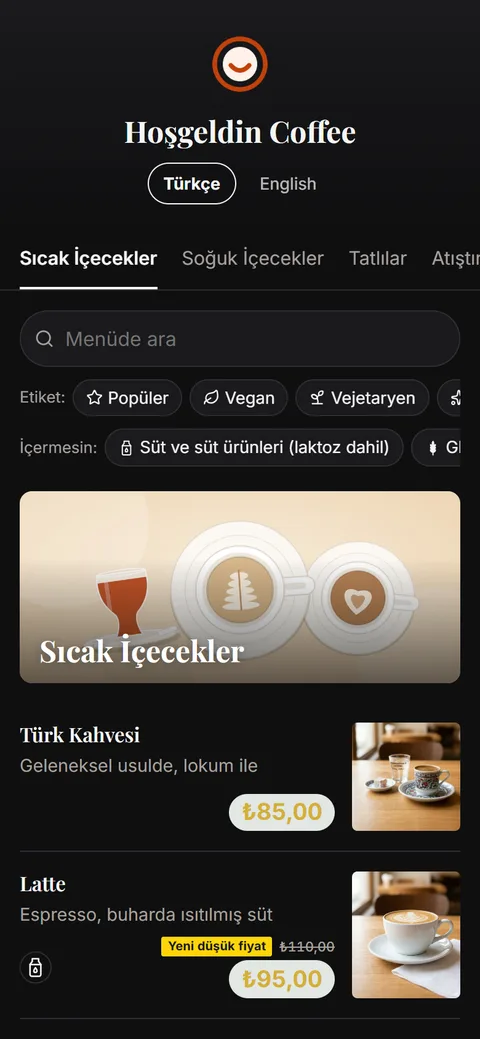
Dark Elegant
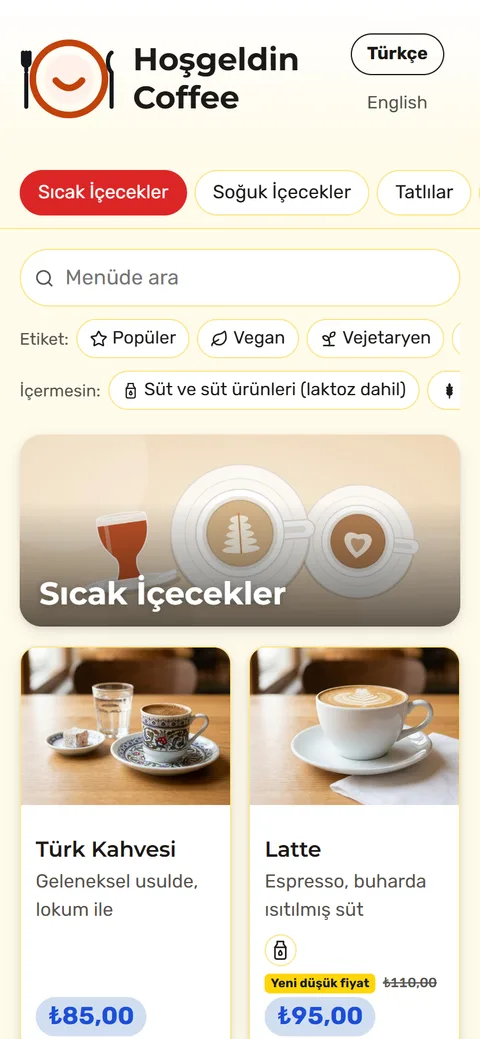
Fast Food Vivid
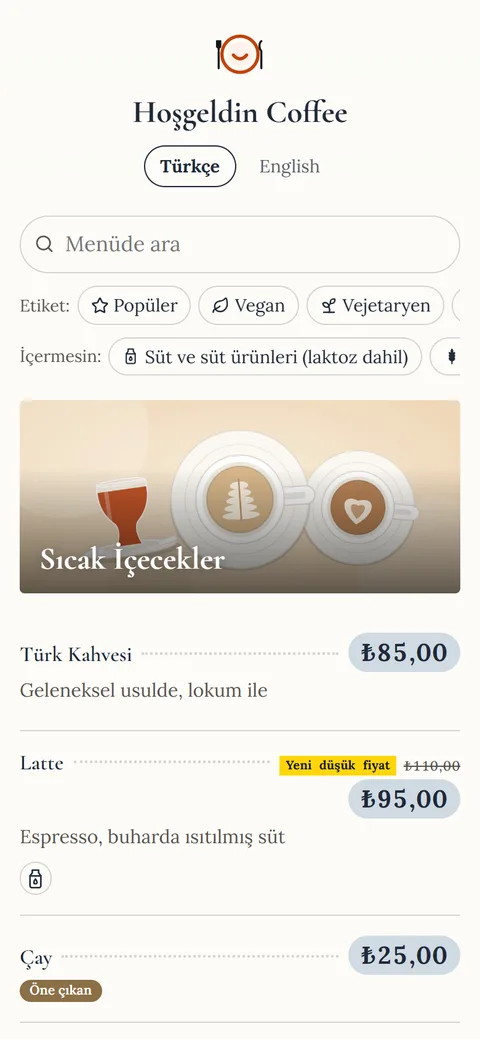
Fine Dining
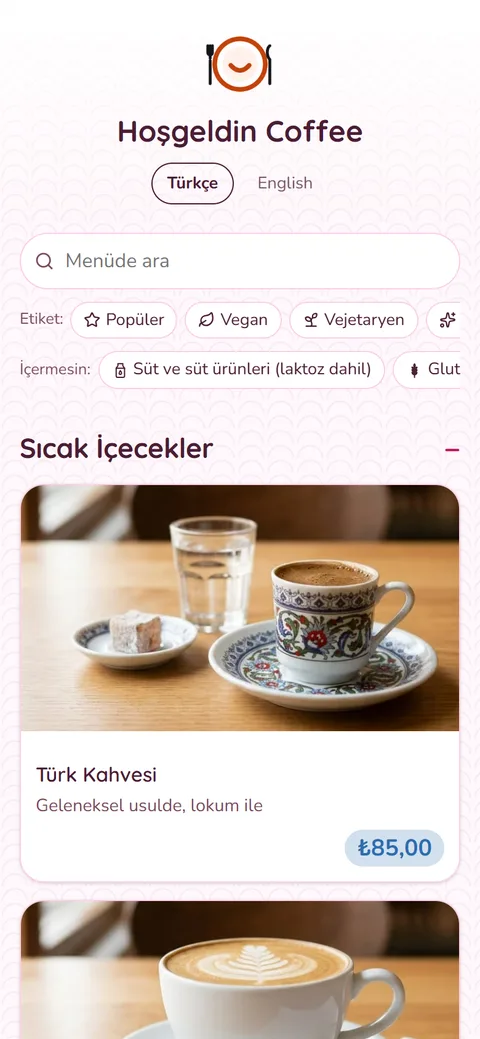
Patisserie Pastel


Price
A monthly subscription at the price of a coffee
A very small monthly subscription next to the cost of reprinting menus. An effective, low-cost service that adds value to your business and keeps your guests happy.
See pricingFrom cafés to hotels, it fits every venue
Café, restaurant, patisserie, fast food, hotel or bar: publish your menu under your own brand and reach guests with the QR code on the table.
- Cafés and coffee shops
- Restaurants
- Patisseries and bakeries
- Fast food
- Hotels and resorts
- Bars and clubs
Frequently asked questions
What people most often ask about QR menus.
What is a QR menu and how does it work?
A QR menu opens your menu in the phone's browser when a guest scans the QR code on the table. Instead of a printed menu you offer one that is always up to date, with pictures and in several languages.
Do guests need to download an app?
No. The menu opens straight in the phone's browser; no app, account or sign-in is needed.
Do I have to update prices by hand every time?
No. Upload your product list from Excel or connect your till or accounting software. When a price changes there, the menu updates by itself; big changes wait for your approval first.
Can my menu be in more than one language?
Yes. Enter product names and descriptions in the languages you want; guests pick theirs with one tap.
How are allergens shown?
The 14 main allergens appear as icons. Guests can filter out the ones they want to avoid.
I have several branches. Can I manage them with one account?
Yes. Manage all your branches from one account and use different menus and prices per branch group.
Is my guests' data collected?
Menu pages have no cookies and no third-party tracking. Statistics are kept as totals only, without identifying guests.
How much does a QR menu cost?
It runs on a monthly subscription and costs little, starting at around the price of a coffee. See the plans on the pricing page.
How many branches can I use it for?
From a single branch to hundreds. The number of branches depends on your plan; group your branches and give each group its own menu and prices.
Put your menu online today
Choose the plan that fits you; we will open your account and set up your first menu together.